Coding Time for Selection
When to Code Time to Selection (aka CM Interviews)
If you have been assigned a Selection tour (i.e., you served as a corps member interviewer), you will need to record your hours worked exclusively on selection within your timesheet; this includes prepping, interviews, and the closing out of applications.
How to Code Time to Selection
When adding selection hours worked to your timesheet:
1. Log into Workday from any computer with internet access and navigate to the Time worklet.
2. Once on the 'Time Entry' page begin entering hours as you normally would.
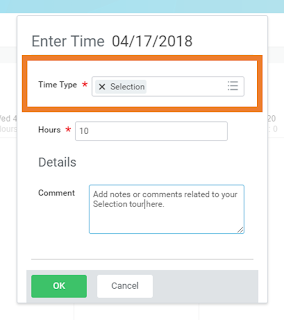
3. When the time entry form appears, change the TIME TYPE from "Hours" to "SELECTION," and enter the number of hours you worked on this particular task. See below for more information on each field:
|  |
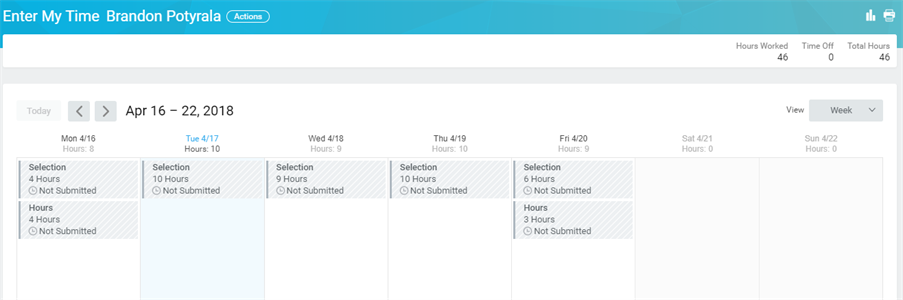
4. Your completed timesheet should look similar to the screenshot below. Keep in mind, you can have a mix of time types on your timesheet, depending on what initiatives you worked on.
Viewed 106 times