Coding Time for Lobbying
When to Code Time to Lobbying
Lobbying at TFA means any communications (and their preparations) with legislative bodies (federal, state, and local) or the general public that relate to either pending legislation, proposed legislation or budgets, and reflect a point of view. If you have lobbied on behalf of TFA, you must record this time within your timesheet. For example, you're likely engaging in lobbying if you're working towards the passage or defeat of a specific piece of legislation, or if you're preparing communications around state funding for TFA.
If you are uncertain about whether your activities are considered lobbying, please reach out to your manager.
How to Code Time to Lobbying
1. Log into Workday from any computer with internet access and navigate to the Time worklet.
2. Once on the 'Time Entry' page begin entering hours as you normally would.
3. When the time entry form appears, change the TIME TYPE from "Hours" to "LOBBYING," and enter the number of hours you worked on this particular task. See below for more information on each field.

There are three types of Lobbying codes to choose from:
Hours: Here you can enter the number of hours you worked on LOBBYING. Comment: If you need to, you can also add comments or additional notes for your approving manager. | 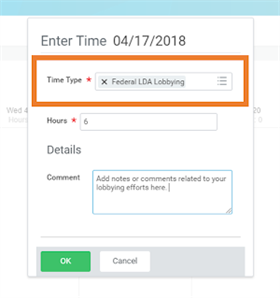 |
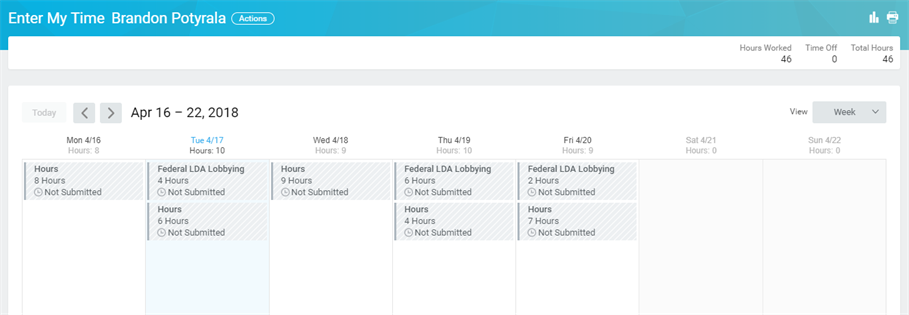
4. Your completed timesheet should look similar to the screenshot below. Keep in mind, you can have a mix of time types on your timesheet, depending on what initiatives you worked on.
Viewed 65 times